Why Mezame Uses a Dark, iOS-Like Alarm Interface
Mezame Alarm is an iPhone, iPad, and Android alarm app for people who want more than a default bell. This guide explains how to make alarm setup easier in a dark room before bed, using custom sounds, spoken cues, sleep mode, and simple alarm checks where they fit.

Quick setup
- 1Create or choose the sound you want to use.
- 2Assign it to one alarm and test it before relying on it.
- 3Add a backup alarm or sleep-mode cue only if it solves a real problem.
Designed for checking alarms at night
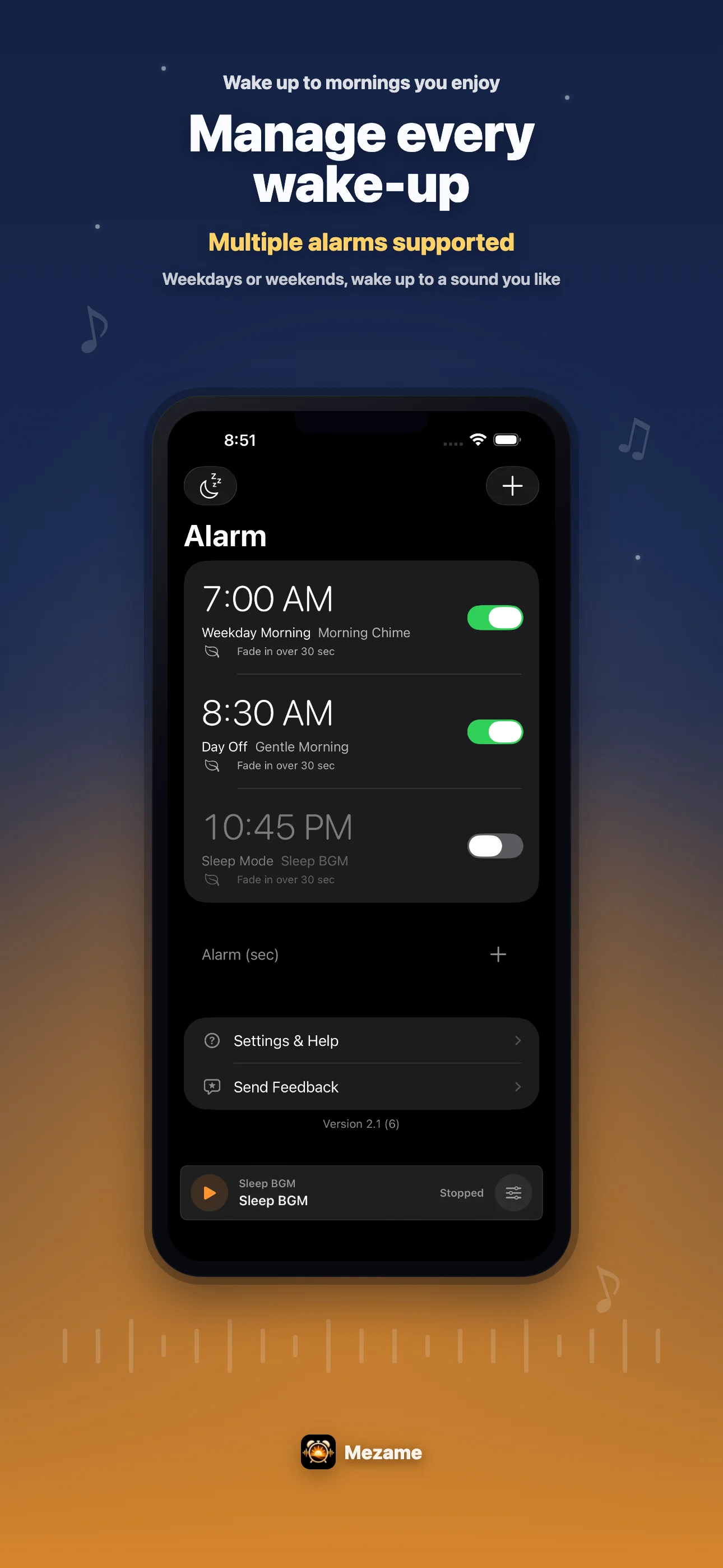
Mezame is built around the idea that alarm setup often happens in a dark room. This guide explains how to make alarm setup easier in a dark room before bed.
The interface uses a dark base, restrained colors, and familiar iOS-like controls so you can review alarms without a bright, noisy screen.
Reduce decisions before sleep
The main things you need at night are the time, on/off state, sound, repeat days, and snooze. Mezame keeps those checks close to the alarm list and editor.
Alarms can be deleted with a left swipe, and added sounds can be edited or deleted with a left swipe as well.
Morning and night can feel different
The app can still use bright morning thumbnails and article images outside the app, while the actual control surface stays dark for bedtime use.
That separation helps the product feel like a morning app without making the night-time setup screen harder to look at.
Try Mezame
Mezame Alarm is an iPhone, iPad, and Android alarm app that can use favorite songs, video audio, recordings, and spoken messages as alarm sounds.